Everything a hiring team does, in one workspace
Anuva follows a hire from the first line of a job description to new hire onboarding. Each part below links to a page with real screens and the details.


AI and agents
AI screening and drafting, a reports assistant, API, webhooks
Screening and scoring
Weighted templates, cutoffs, a per-criterion breakdown
Pipeline and interviews
Review queue, tracker, interview kits, scorecards
Offers and onboarding
Approvals, e-signature, new hire onboarding
Free careers page
careers.anuva.io/yourcompany, shareable on LinkedIn
Reports and fairness
Funnel, time to hire, SLA, selection rates
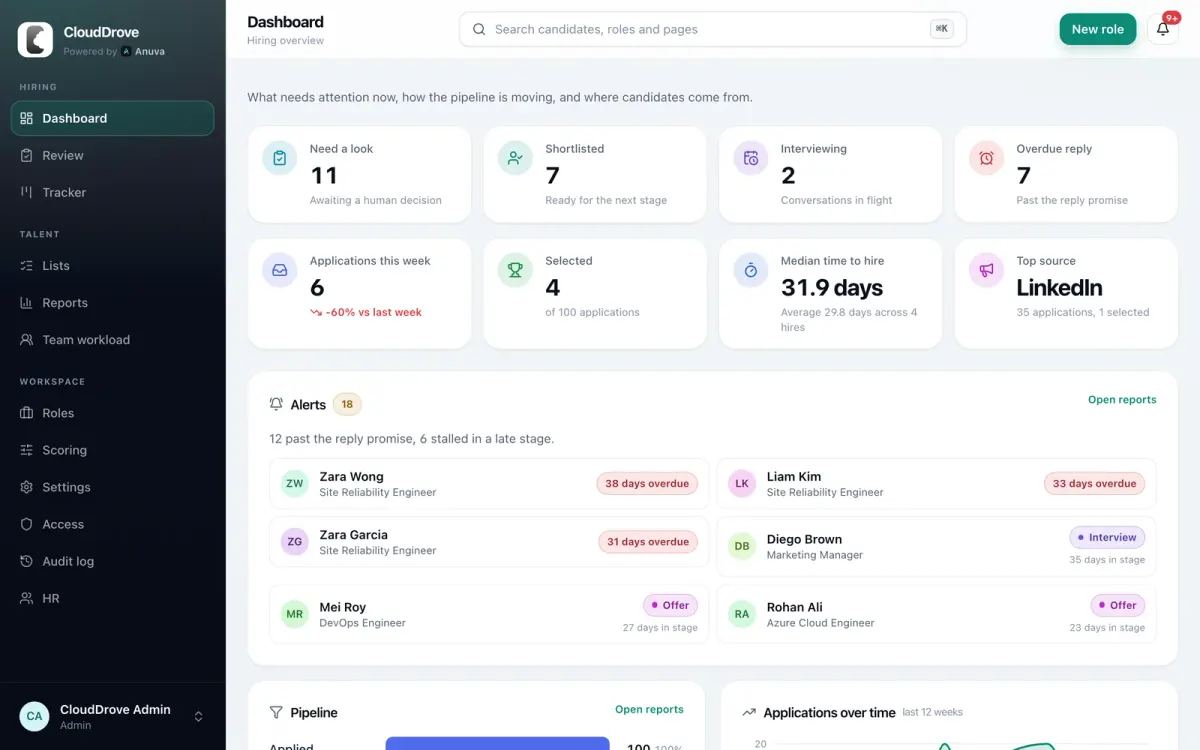
The dashboard starts with what needs a person
Applications waiting for a decision, people ready for the next stage, candidates past your reply promise, and alerts for anyone stalled in a late stage. Median time to hire and top source sit underneath.
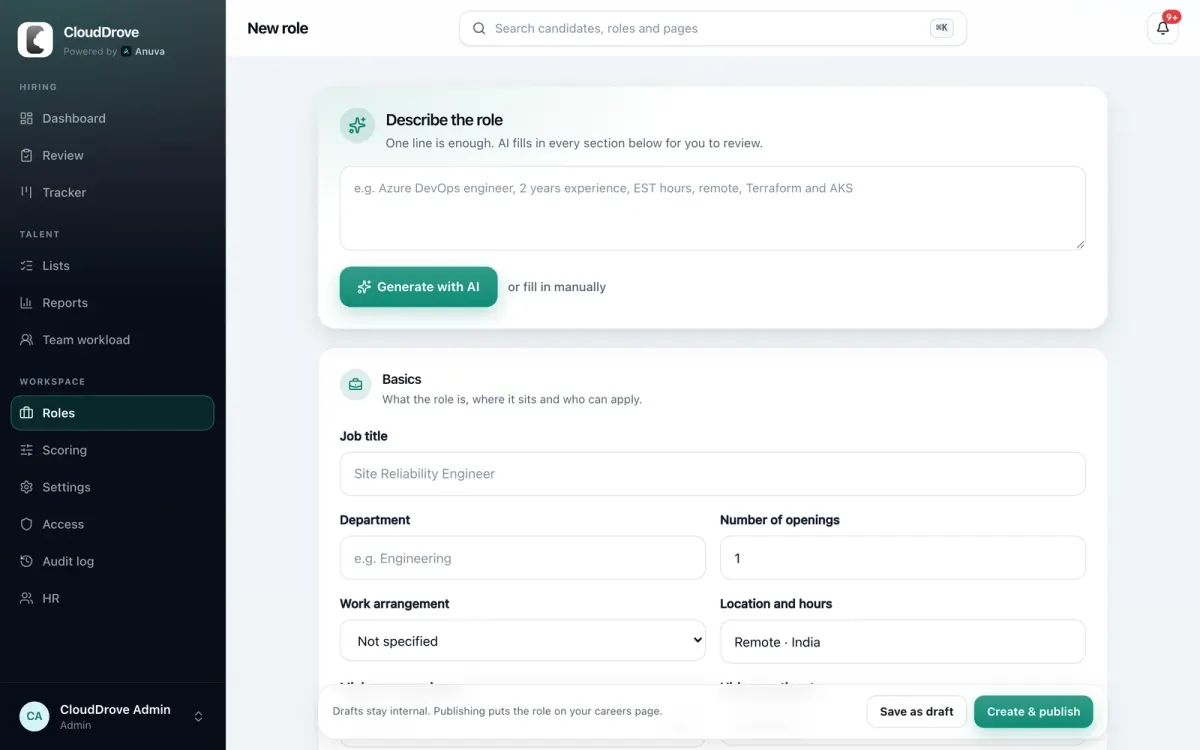
Write a job description from one line
Type something like "Azure DevOps engineer, 2 years, remote, Terraform and AKS". AI fills in every section of the role for you to review: description, application questions and screening criteria. Prefer to write it yourself? Fill the form in by hand.
Anuva also flags exclusionary phrases in the description and suggests plainer wording. Live roles publish Google for Jobs markup on your careers page.
And the parts you only notice when they are missing
Talent pool and lists
Filter every candidate by country, state, skills, score, role, stage and talent pool tags. Silver medalist nurture emails keep strong runners up warm for the next opening.
Team roles and permission sets
Admins and interviewers by default, plus named permission sets such as Hiring Manager or Talent Acquisition. Interviewers only see candidates assigned to them.
Candidate emails you control
Branded templates for each stage change. Turn a template off and it stops sending. A daily SLA digest lists candidates waiting past your reply promise.
Integrations
Signed webhooks for application, stage, scoring and offer events. API keys for server to server access. Slack digests. SSO through WorkOS on Enterprise.
Search everything
Press Cmd K or Ctrl K to jump to any candidate, role or page in the workspace.
Export any time
Download the whole workspace as JSON from settings. On Growth and Enterprise, download the full audit log as CSV too.
See Anuva on your own hiring
Book a demo and bring a role you are hiring for. We will walk through screening, the pipeline and reports with it, and answer security questions on the same call.
or email hello@anuva.io


