Hiring reports you do not have to build
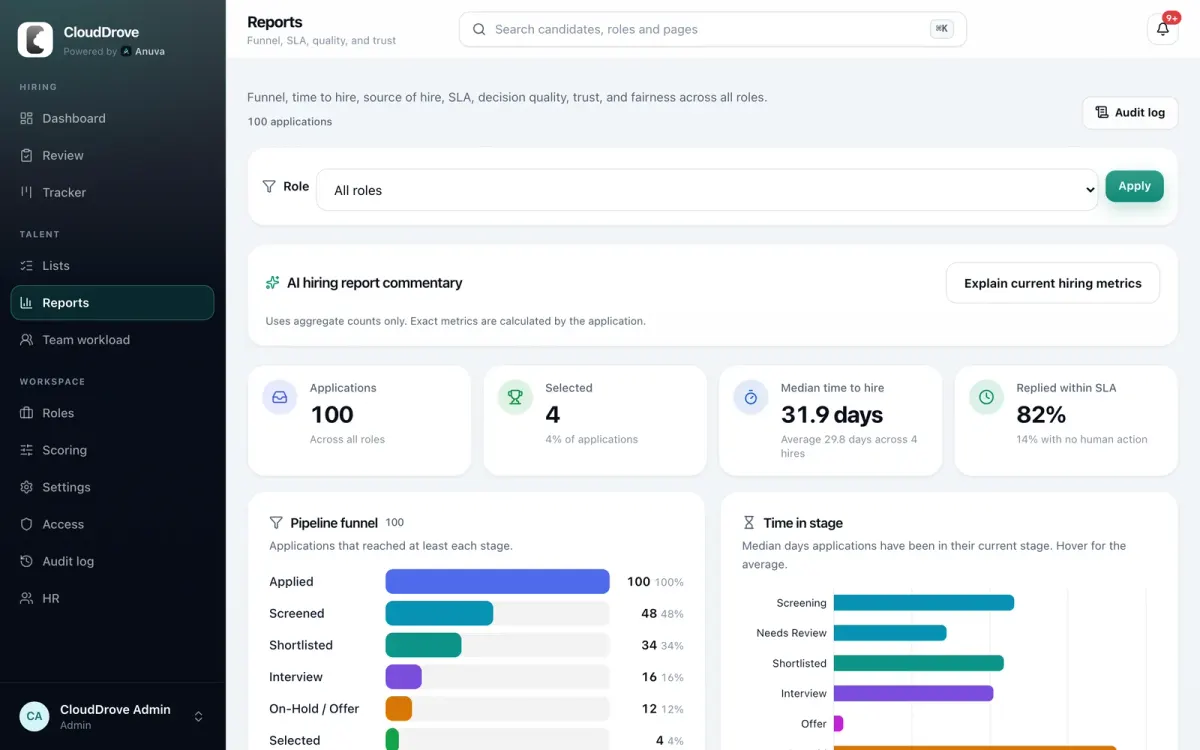
When the founder asks how long hiring takes, or the board asks where good people come from, the answer is already on the Reports page, for one role or all of them.
What is on the page
Pipeline funnel
How many applications reached each stage, with the share of the total.
Time to hire
Median and average days from application to selection.
Time in stage
Median days candidates spend in each stage, so you can see where people wait.
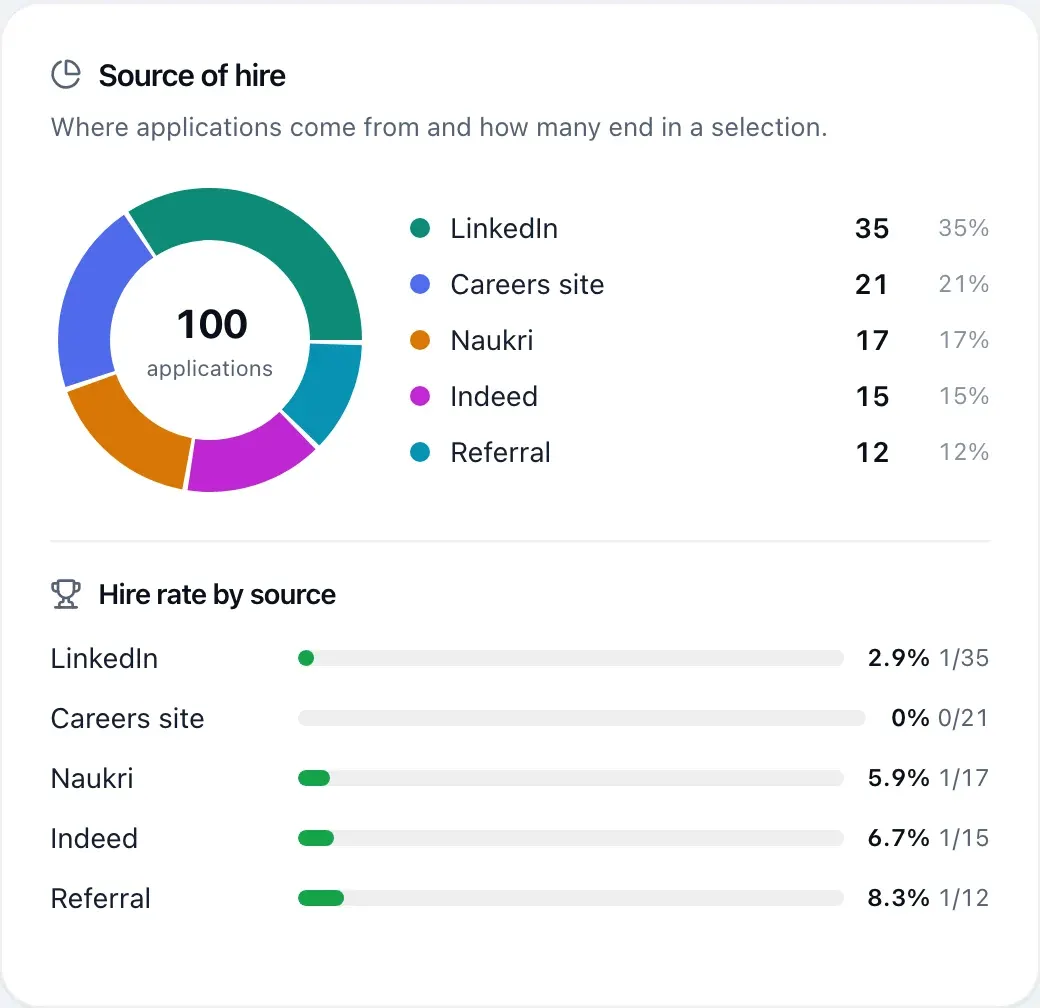
Source of hire
Where applications come from and how many of them end in a selection.
SLA and candidate experience
Share replied within your promise, ghost rate, time to first action, interview and offer stalls.
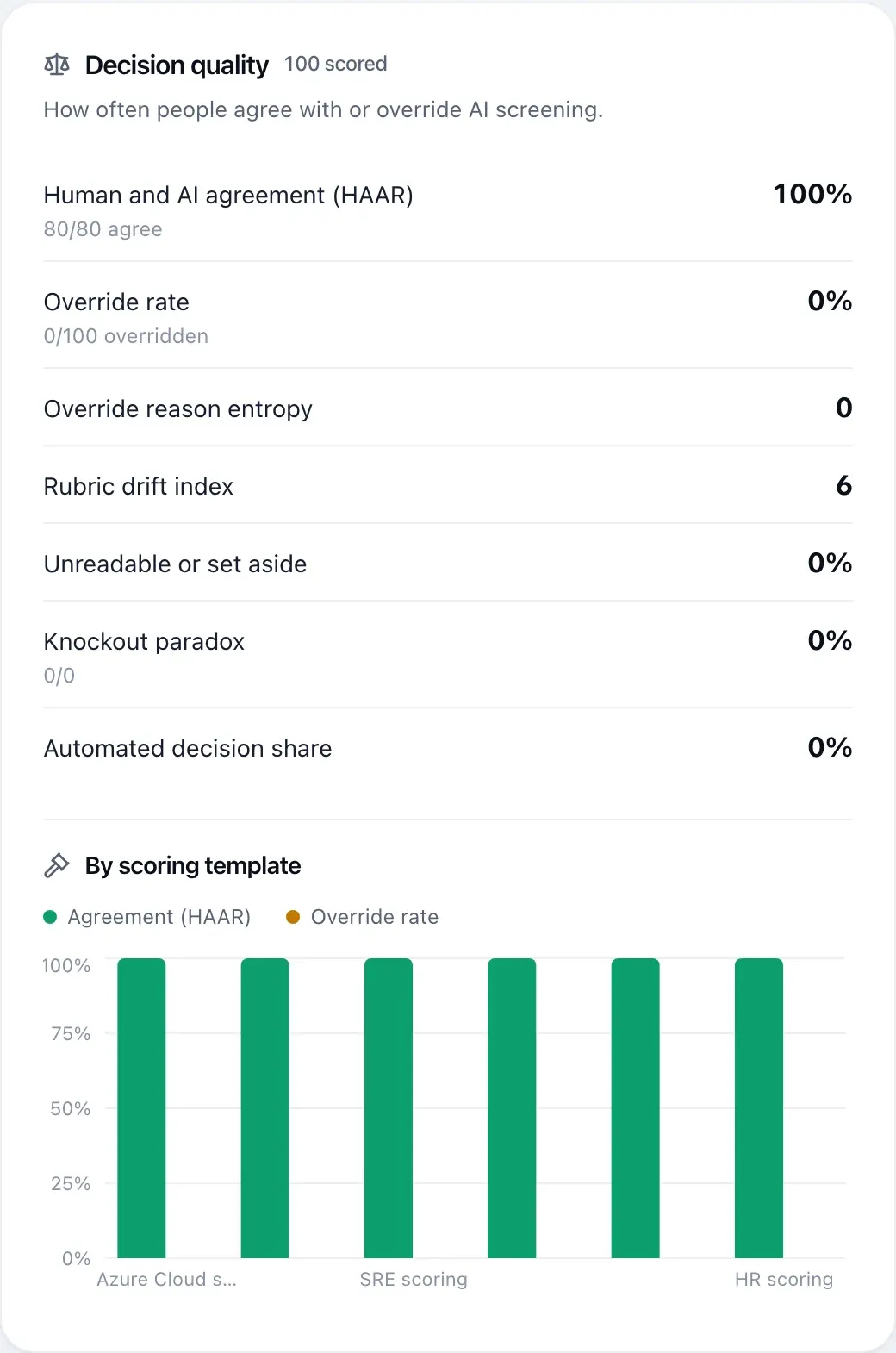
Decision quality
Human and AI agreement, override rate, override reason entropy, rubric drift, automated decision share.
Trust and privacy
Retention purges, CV text residue and how fresh your last export is.
Fairness
Selection rate by group, checked against the four-fifths rule.
Measure the decisions, not only the volume
Decision quality compares what the score recommended with what people decided. A rising override rate can mean the template needs work. Rubric drift shows when reviewers start judging differently from the criteria they agreed on.
An optional AI commentary explains the current numbers in plain words. It reads aggregate counts only; the metrics themselves are calculated by the product.
Fairness checks that alert, never block
If you collect optional diversity answers, fairness reports compare selection rates by group against the four-fifths rule. A group selected at less than 80 percent of the rate of the highest group is flagged for a person to look at. Nothing is blocked automatically.
Diversity questions are off by default, answers are restricted, and fairness reports are an optional module an admin turns on. They are available on paid plans.
Spend where hires come from
Source of hire shows applications and selections per channel, so you can see whether LinkedIn, Naukri, referrals or your careers page bring in the people you actually hire.
Every chart can be filtered to one role.
See Anuva on your own hiring
Book a demo and bring a role you are hiring for. We will walk through screening, the pipeline and reports with it, and answer security questions on the same call.
or email hello@anuva.io


