A hiring pipeline the whole team can keep up with
Applied, screening, interview, offer, selected. Every candidate has a stage, an owner and a clock, and nobody has to ask in a group chat where someone is.


The tracker
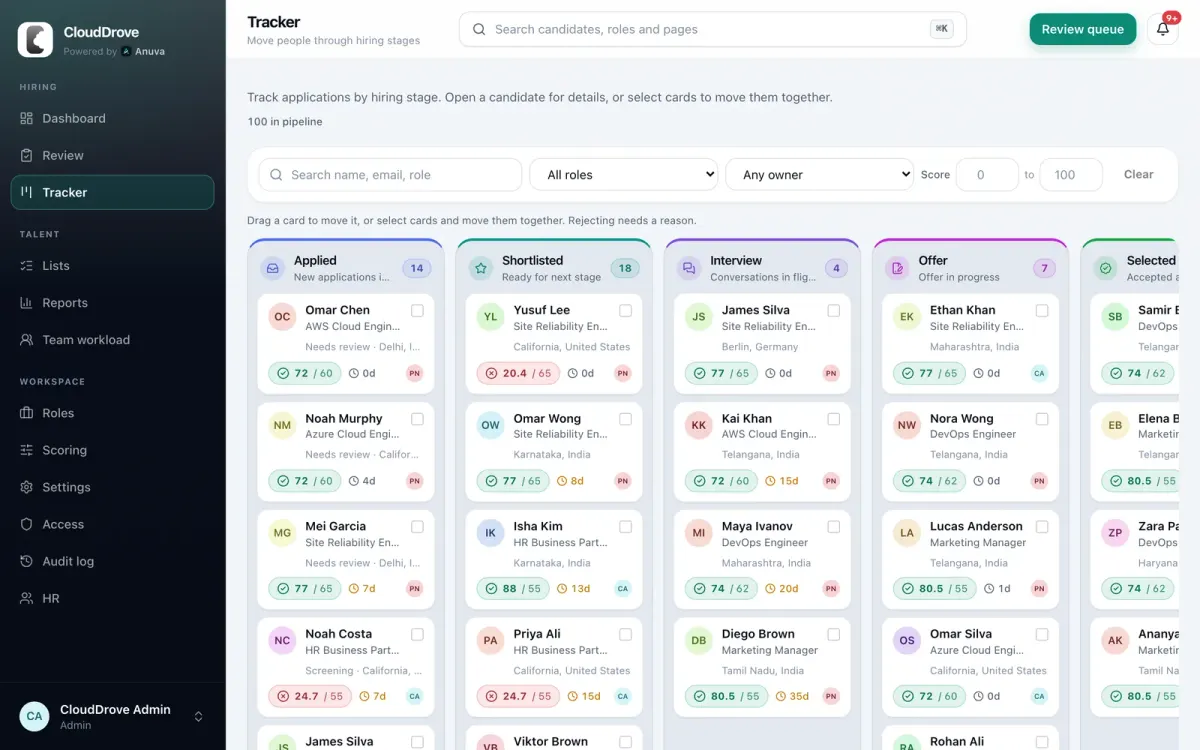
Filter the board
By name, email, role, owner or a score range.
Counts per stage
Each column shows how many people are in it and what the stage means.
Score against cutoff
72 / 60 means a score of 72 on a role whose cutoff is 60.
Days in stage
Turns amber as a candidate waits. Past your reply promise, it shows up in alerts.
Drag a card to move it, or select several cards and move them together. Post-shortlist stages need a shortlist decision first, and moving someone to rejected asks for a reason.
Interviews with a shared rubric
Schedule interviews on the candidate page with attendees, time and agenda, and download an ICS file for any calendar. Record each outcome as passed, failed or cancelled.
Interview kits hold the questions, the competency each one tests and the evidence to look for. Generate a kit for a role, approve it, and it joins your kit library for the next opening. Interviewers fill in a scorecard against the same rubric.
Want a hard rule? Turn on "Require scorecard before offer" and an offer cannot be drafted until a scorecard is on file.
- Stages
- Applied, Screening, Interview, Offer, Selected, plus Rejected and On-Hold
- Reopen a rejection
- Allowed, with a written reason
- Owners
- A recruiter and hiring manager per role, an owner per candidate
- Reply promise
- Set per role, shown to candidates, tracked in Reports
- Status history
- Every stage change with who, when and the note
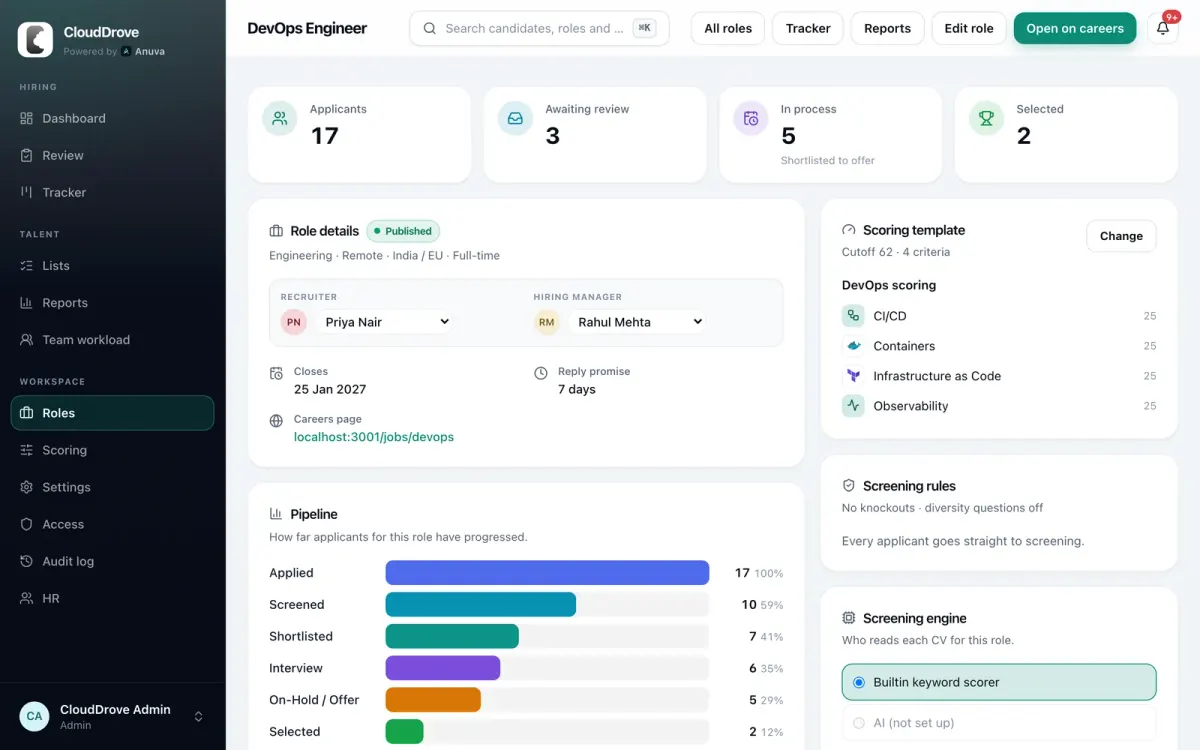
Each role keeps score of itself
The role page shows applicants, how many are waiting for review, who is in process and who was selected, beside the scoring template, screening rules and the funnel for that role.
Candidates who were not right for this role can still fit another. Anuva suggests other open roles based on skill overlap and hiring location, and HR makes the call.
Candidates hear back
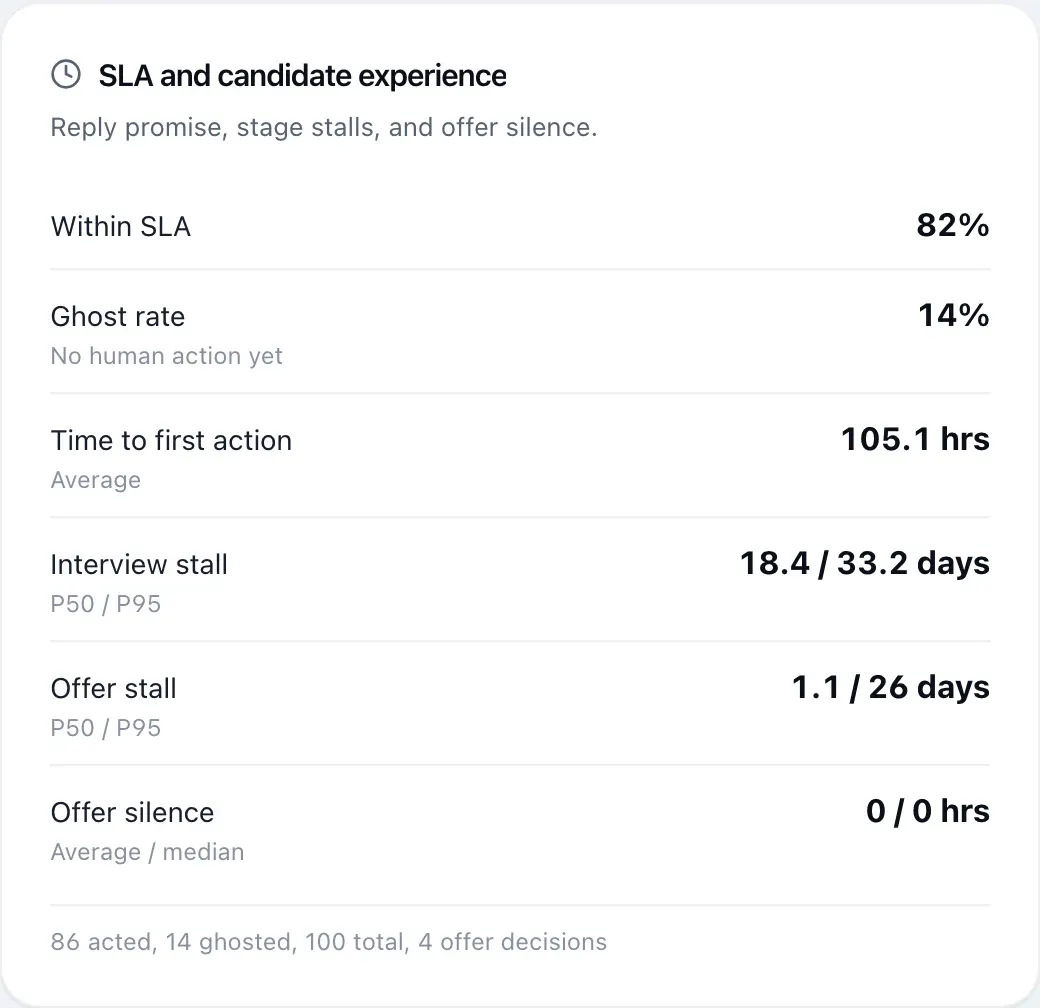
Every role has a reply promise, such as 7 days, which candidates see when they apply. The dashboard flags anyone waiting past it, a daily SLA digest goes to the team by email or Slack, and status emails from your own templates go out when candidates change stage.
Move your next shortlist through Anuva
Book a demo and bring a role you are hiring for. We will walk through screening, the pipeline and reports with it, and answer security questions on the same call.
or email hello@anuva.io


